How to Verify Wi-Fi Quality at Campgrounds Along I-80 Before Your Trip
Campground Wi-Fi quality can be a real mixed bag, and if you’re traveling along Interstate 80, having reliable connectivity is key for everything from navigation and remote work to streaming and staying connected in emergencies. This guide will walk you through how to check campground Wi-Fi quality before you even book, how to test its performance once you arrive, and what mobile internet solutions to have on hand if the campground’s access just isn’t cutting it. You’ll discover practical pre-trip checks, ready-to-use questions to ask campgrounds, step-by-step on-site testing methods, and hardware and service options perfect for both RVers and tent campers. We’ll also dive into the common technical snags that often make campground Wi-Fi a bit shaky, offer tips for boosting your signal at your site, and show you how to use speed-test apps and coverage maps to make smarter reservation choices. Throughout, we’ll use Ridge Ranch Campground, a family-friendly spot near I-80 in Newton Falls, Ohio, as our example to show you how to weave campground-specific verification into your booking and on-site routine.
What Are Common Challenges with Campground Wi-Fi Along I-80?

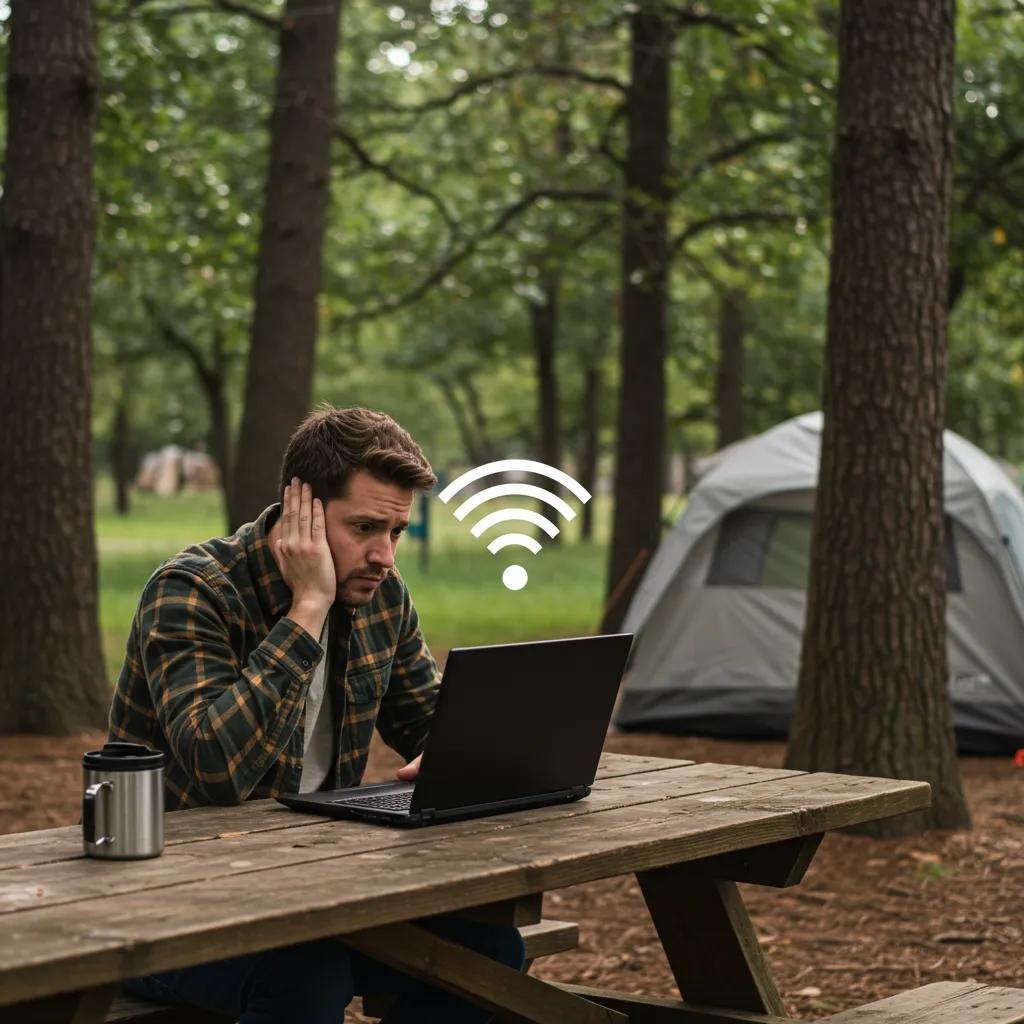
Campground Wi-Fi along busy routes like I-80 often struggles with shared bandwidth, limited ISP connections (backhaul), and equipment limitations. These factors can really cut down on per-user speeds and crank up latency. It boils down to a single internet connection trying to serve a whole lot of users at once, and when everyone’s online during peak evening hours, it can easily overwhelm the local access points, leading to sluggish downloads and choppy video calls. Understanding these core issues helps you set realistic expectations for speed and reliability at campgrounds and prepares you to verify connectivity before and during your stay. The next section will explain why shared networks and backhaul are such frequent culprits behind poor campground Wi-Fi.
Why Is Campground Wi-Fi Often Unreliable?
Campground Wi-Fi often proves unreliable because individual users are sharing a finite capacity of access points, and the site’s internet connection (backhaul) might be modest. This setup can lead to congestion during busy periods. Shared bandwidth means every active device is vying for the same download and upload resources, so when someone’s streaming video or downloading large files, it impacts everyone’s experience. The age and maintenance of the equipment also play a role: older access points and poor network segmentation can increase latency and jitter, which really messes with voice and video calls. Recognizing these root causes will help you ask the right questions about capacity and peak-use behavior when you’re verifying campground Wi-Fi.
How Do Location and Obstructions Affect Wi-Fi Signal at Campgrounds?
Line-of-sight and physical barriers directly influence signal strength at campsites. Trees, hills, the metal exteriors of RVs, and buildings can all weaken 2.4 GHz and 5 GHz radio waves. Signals have to navigate around or through these obstacles, and each one reduces signal power and increases packet loss. For instance, dense foliage and metal siding can create noticeable dead zones near certain sites. The layout of the campground also matters: sites farther from common-area access points typically get weaker coverage, while open, elevated spots often enjoy the best reception. Mapping these zones during a walk-test can help you pick or request a site with a clearer line-of-sight to the access points.
What Are Realistic Expectations for Campground Internet Speeds?
Realistic expectations for campground internet speeds need to account for shared usage. Basic tasks like checking email and browsing the web often work fine at modest per-user rates, but multiple high-definition streams or large file transfers will demand significantly more bandwidth. A typical campsite experience might range from just enough for basic browsing and messaging to marginal performance for sustained video conferencing, unless you limit concurrent streams or schedule heavy transfers during off-peak hours. For planning purposes, think of campground Wi-Fi as a convenience tier, suitable for casual use, and always have backup options ready for work or streaming needs. With those expectations in mind, you can evaluate specific campgrounds more effectively.
Campground Wi-Fi limitations highlight what to check before you book, and the next section will cover what Ridge Ranch Campground currently shares about its connectivity for travelers on I-80.
How Does Ridge Ranch Campground Ensure Reliable Wi-Fi for I-80 Travelers?
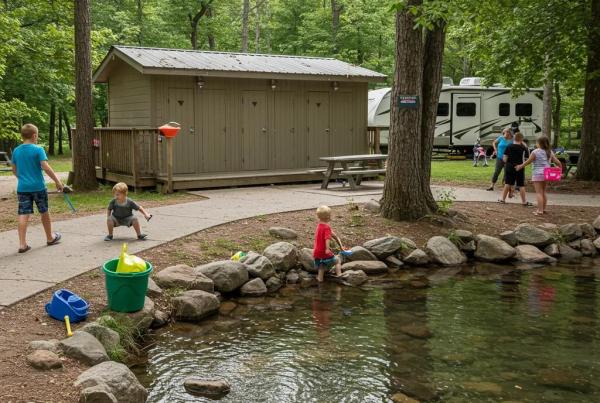
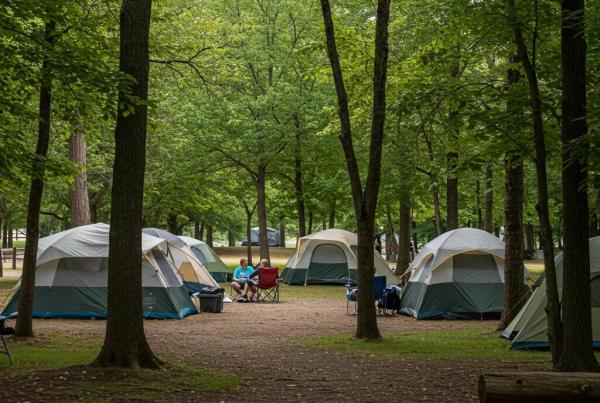
Ridge Ranch Campground offers a family-oriented camping experience across 76 scenic acres near Interstate-80. While they list amenities and planned 2026 improvements, their public amenities pages don’t currently provide explicit, quantitative Wi-Fi speeds or detailed site-level coverage maps. This means prospective guests should verify connectivity details directly if Wi-Fi is a priority. Ridge Ranch’s amenity descriptions and event information suggest an active guest services team that can likely answer site-specific connectivity questions. The campground’s future upgrades in 2026 (like a waterpark and arcade) show a commitment to enhancing the guest experience, and it’s worth asking how network infrastructure upgrades might align with these new attractions. Below is a quick, easy-to-scan table summarizing Ridge Ranch’s Wi-Fi attributes based on available public information and what you should request when contacting them.
Review these attributes when you reach out to Ridge Ranch or similar campgrounds, and use the suggested questions in the next H2 to get actionable answers. Confirming the access method and device limits will help you plan your device usage during your stay.
What Are the Current Wi-Fi Speeds, Coverage Areas, and Access Points at Ridge Ranch?
Ridge Ranch’s public materials detail amenities and family activities but don’t publish explicit Wi-Fi speed figures or comprehensive coverage maps, so current quantitative measurements aren’t available from official listings. Since the official site omits speed metrics, you should ask staff for recent speed-test logs or a simple coverage map indicating which common areas and specific site ranges receive reliable service. When you request this information, aim for per-area download/upload averages and notes on peak-use periods to gauge typical performance for your needs. If the staff can’t provide data, treat Wi-Fi as an unknown variable and have backup connectivity options ready.
How Can Campers Connect to Ridge Ranch Wi-Fi Easily?
Typical campground connection processes involve finding an identifiable SSID, then using a captive portal or guest pass to authenticate devices. There might also be device limits or session timeouts that can affect streaming and large uploads. When you arrive, check the registration office or posted signs for the SSID and the captive portal URL or password. If the portal requires email capture, ask about privacy policies and device limits. To troubleshoot common issues, try restarting your device, forgetting and reconnecting to the SSID, or moving closer to central amenity buildings for a stronger signal. If problems persist, contact the front desk for staff assistance or a recommendation for a nearby spot with reliable access.
What Future Wi-Fi Upgrades Are Planned for Ridge Ranch Campground?
Public information for Ridge Ranch highlights planned 2026 amenities focused on recreation, such as a Wibit waterpark and arcade, but doesn’t list confirmed network infrastructure projects. However, major property upgrades often go hand-in-hand with connectivity investments to support increased guest device usage. Ask the campground if network backhaul, additional access points, or site-level coverage improvements are scheduled to support new attractions and higher guest density. Ridge Ranch staff can clarify timelines and any guest notifications about upgrades that might affect Wi-Fi performance, and you should request updates before booking if connectivity is critical to your trip.
Confirming planned or completed network work will give you realistic expectations for service during your stay and help you decide if you should bring alternative connectivity solutions, which we’ll cover next.
How Can You Verify Campground Wi-Fi Quality Before Booking Your Stay?
Verifying campground Wi-Fi quality before you book involves a quick, actionable checklist you can complete remotely: check the official campsite amenity pages, read recent guest reviews for mentions of Wi-Fi, and contact the campground with specific, copyable questions. These pre-trip verification steps will help you determine if the campground Wi-Fi meets your needs and reduce any surprises upon arrival. Use the checklist below before reserving your site to gather the necessary information and make a reservation decision with confidence.
Use this numbered checklist to guide your pre-booking verification.
- Check the official campground amenities page for Wi-Fi details and any coverage maps.
- Read recent guest reviews and search for explicit mentions of Wi-Fi speed and reliability.
- Call or email the campground with specific questions about site-level coverage, device limits, and recent speed tests.
- Ask whether the campground logs speed-test results or can provide sample measurements taken during peak and off-peak hours.
- Compare answers across multiple campgrounds to choose the one that aligns with your connectivity needs.
These steps will provide you with concrete information to inform your booking choices. If the campground can’t offer clear answers, you should definitely consider backup options detailed later.
What Questions Should You Ask the Campground About Wi-Fi?
Ask direct, measurable questions that yield actionable answers rather than vague assurances. For example, request average download and upload speeds for your desired site, the SSID name and authentication method, device limits per account, and whether the park has sample speed measurements from peak evening hours. A good set of copyable questions includes: “Can you provide recent speed-test results for the area near site X?” and “Are there device limits on guest Wi-Fi sessions?” Responses that specify numbers, times of measurement, and affected site ranges are positive indicators, while vague replies or a refusal to provide details are red flags. Use the responses to compare campsites and decide if personal hotspots are necessary.
How Can Online Reviews Help Assess Wi-Fi Reliability at Campgrounds?
Online reviews can surface recent guest experiences with Wi-Fi if you search reviews using keywords like “Wi-Fi,” “internet,” “streaming,” and “speed,” and then filter for the most recent entries to reflect current infrastructure. Look for corroborated reports—multiple reviewers mentioning the same pattern around similar dates—because single, older complaints might not reflect current conditions. Pay attention to the context: reviewers who used multiple devices, streamed video, or worked remotely provide more relevant information for performance expectations. Cross-check review claims with direct campground answers to build a comprehensive picture of likely Wi-Fi reliability.
Why Is Checking the Official Campground Website Important for Wi-Fi Details?
The official campground website is the authoritative source for amenity listings, upgrade announcements, and procedural details about guest access. It’s the first place to look for any posted Wi-Fi information or updates related to infrastructure improvements. Official pages might include notes about common-area coverage or guest portals even when they omit specific speeds, and updates tied to property renovations sometimes mention network upgrades. Use the official site as a baseline, then corroborate with reviews and direct questions to staff for a complete assessment. Verifying the official information minimizes surprises and provides a reference point when discussing expectations with campground staff.
When you arrive, on-site testing will confirm whether posted or reported metrics match your actual experience, which we’ll cover next.
What Tools and Methods Can You Use to Test Wi-Fi Quality Upon Arrival?

Testing Wi-Fi quality upon arrival involves measuring download, upload, and latency, mapping coverage across your site, and documenting results to compare against pre-trip claims. These steps will help you decide if the campground’s network is usable for your needs. Use reliable speed-test apps, perform walk-tests to identify coverage zones, and log results during peak and off-peak times to capture any variability. The table below compares popular testing tools and the metrics they provide so you can pick the right app for your checks.
This table helps you choose the best tool for the metrics you care about.
After choosing a tool, follow the test steps described next to document actual performance and identify coverage zones for your site selection.
Which Speed Test Apps and Websites Are Best for Measuring Campground Wi-Fi?
Reliable speed-test tools include apps and browser tests that measure download and upload throughput plus latency. Pick one primary tool for consistency and run it multiple times during peak and off-peak hours. Ookla Speedtest offers server selection and comprehensive metrics, Fast.com provides a streaming-focused download snapshot, and browser-based tests are handy when you prefer not to install apps. Record at least three tests at different times and note the device and testing location to create a simple dataset you can reference when discussing issues with staff. Consistency in your testing method will yield the most useful comparisons.
How Can You Identify Wi-Fi Coverage Zones at the Campsite?
A practical walk-test can map signal strength by moving around the site perimeter while monitoring signal strength or using heatmap apps to visualize coverage. Record signal bars, SSID names, and speed test results at multiple points to identify dead zones and strong pockets. Alternative techniques include looking for multiple SSIDs that indicate separate access points, and using a client-side analyzer to log RSSI values and channel congestion. Mark your notes with landmarks to reproduce tests later and to show staff where performance issues occur. A mapped coverage sketch will help you decide on a better site or inform your requests for assistance from staff.
When Should You Consider Using Personal Hotspots or Cellular Routers?
Switch to personal hotspots or cellular routers when campground Wi-Fi falls short of your minimum needs for work or streaming, when staff can’t provide reliable site-level service, or when tests reveal high latency or intermittent outages that impair real-time applications. Consider the signal strength for your cellular carriers upon arrival and evaluate battery and power needs for portable hotspots. A cellular router with an external antenna can provide more stable performance for extended stays or multiple devices. If cellular coverage is weak at the campground, satellite options or parking closer to a stronger reception area might be alternatives worth considering.
Testing and backup planning naturally lead to techniques for improving on-site reception and securely using public networks, which we’ll cover next.
How Can You Improve and Maximize Your Wi-Fi Signal While Camping Along I-80?
You can improve your on-site Wi-Fi by optimizing device positioning, selecting sites with better line-of-sight to access points, and using equipment like directional antennas or client boosters when permitted. Small adjustments—like moving a device closer to a window, elevating a router or hotspot, and avoiding metal obstructions—often yield measurable gains. Keep in mind campsite rules about mounting or running cables; portable or window-facing setups typically comply while providing noticeable improvements. The next subsections will explain practical positioning tips, booster options, carrier coverage expectations near Ridge Ranch, and security practices for public Wi-Fi.
What Are Effective Tips for Positioning Devices to Boost Wi-Fi Signal?
Position your devices for the best reception by moving them toward central amenity buildings or high, unobstructed points with a clear line-of-sight to access points. Orient antennas where possible, and use elevation—placing hotspots on tables or elevated surfaces can reduce ground reflections and improve signal. Avoid placing devices behind metal RV walls or between dense tree clusters, as these can drastically reduce signal strength. If you must rely on campground Wi-Fi for streaming or calls, test a few positions and choose the one that consistently delivers the best throughput. Simple placement changes often produce the most cost-effective improvements.
How Do Wi-Fi Boosters and Extenders Work at Campgrounds?
Wi-Fi boosters and extenders either rebroadcast an existing network or create a client bridge to the strongest access point. However, their effectiveness depends on the initial signal strength and the allowed installation practices. Repeaters amplify what they receive, so a weak original signal will result in limited improvement. Directional antennas or client-mode boosters can capture a distant AP and provide a stronger local hotspot, while mesh or permanent installations are usually impractical in transient campground settings. Use portable, non-intrusive boosters that don’t require fixed mounting and always confirm campground policies before deploying any amplifying hardware.
What Cellular Coverage Can Campers Expect Near Ridge Ranch Campground?
Cellular coverage near Ridge Ranch Campground in Newton Falls, Ohio, can vary by carrier and terrain. Travelers should consult carrier coverage maps and test on arrival to determine which provider delivers the strongest signal for their devices. Pre-trip checks of carrier coverage layouts and on-site signal tests with your device will reveal whether personal hotspots or a cellular router are viable fallbacks. If cellular coverage is inconsistent, consider dual-SIM routers or multi-carrier solutions to maximize uptime. Testing upon arrival is the definitive step to choose the most reliable cellular option for the remainder of your trip.
How Can Secure Browsing Practices Protect You on Campground Wi-Fi?
Secure browsing practices are essential for protecting your data when using shared campground networks. Use a reputable VPN for encryption, prefer HTTPS connections, avoid banking or sensitive transactions on public Wi-Fi, and keep your device software and antivirus protections updated. Use strong, unique passwords for device and account logins, disable automatic file sharing, and log out of portals after use to reduce exposure. These practices minimize risks from other on-network devices and help maintain your privacy while you rely on shared or campground Wi-Fi. After adopting these precautions, consider long-term mobile solutions if your security requirements are high.
With site optimization and secure habits in place, you can then evaluate long-term RV internet options for more consistent connectivity along I-80.
What Are the Best RV Internet Solutions for Reliable Travel Connectivity Along I-80?
Choosing the right RV internet solution really depends on your specific use case. Short stays and light tasks often work well with smartphone hotspots, while remote work and multi-device households will benefit more from cellular routers or satellite options like Starlink for broader coverage. Each solution comes with its own tradeoffs in terms of cost, setup complexity, and reliability in varying terrain, so it’s important to match the option to your expected usage pattern and travel route. The table below compares common RV internet solutions, outlining their pros, cons, and practical notes to help you decide.
This EAV-style comparison summarizes strengths and considerations for each approach.
Use this comparison to pick hardware and plans that align with your travel tempo and connectivity expectations. The next subsections will break down how each solution functions and when you might prefer one over another.
How Do Mobile Hotspots and Cellular Routers Enhance Campground Internet?
Mobile hotspots and cellular routers convert cell data into a local Wi-Fi network, aggregating cellular bandwidth for multiple devices and often supporting external antennas to improve reception. Hotspots are plug-and-play and convenient for short durations, while dedicated routers offer better management features, Ethernet ports, and stronger antennas for consistent multi-device use. For remote work or streaming from an RV, a cellular router with a high-gain antenna typically outperforms a phone hotspot, providing greater stability and longer uptime. Choose based on your device count, power availability, and how often you need sustained bandwidth.
What Is Starlink and How Can It Improve RV Internet Access?
Starlink is a satellite broadband option that can deliver high throughput in areas with limited terrestrial coverage by connecting to low-earth-orbit satellites. This makes it a great fit for remote RV stays where cellular signals are weak. Satellite setups require a clear view of the sky and must be set up with care for optimal performance. While there are costs and portability tradeoffs, the service can be a game-changer in coverage gaps. For travelers whose routes include extended remote segments, Starlink offers a reliable fallback that complements cellular solutions. Evaluate cost, portability, and your expected locations to decide if satellite is right for your travel pattern.
Which 5G Plans and Services Are Recommended for RV Travelers?
When selecting 5G plans for RV travel, prioritize features like generous or unlimited data caps, national coverage, hotspot usage allowances, and predictable throttling policies to avoid surprise slowdowns. Consider multi-line or family plans that share data among devices and check for signal strength along your intended I-80 route before committing. Budget for data-heavy activities like streaming or video conferencing, and balance plan cost against expected performance. Carriers and plan offerings change over time, so compare current options relative to your trip profile. With a solid plan, 5G can serve as a robust daily driver where coverage exists.
Choosing the right solution enables dependable work and entertainment, which we’ll discuss next in terms of its impacts.
How Does Reliable Wi-Fi Impact Remote Work and Entertainment at Campgrounds?
Reliable Wi-Fi enables consistent remote work, stable video calls, and predictable streaming for families. Conversely, unreliable connectivity forces scheduling adjustments, reduces productivity, and limits entertainment options. For remote workers, predictable latency and upload capacity are critical for video meetings and file transfers, whereas families and leisure users primarily need sustained download bandwidth for streaming. Understanding your minimum requirements will help you determine whether campground Wi-Fi suffices or if a dedicated mobile solution is necessary. The following sections will outline minimums for work, tips for family streaming, and resources for digital nomads seeking advanced setups.
Why Is Stable Internet Important for Remote Work While Camping?
Stable internet supports real-time collaboration, video conferencing, and secure access to cloud resources, with minimum recommended speeds and low latency for reliable meetings and screen sharing. For typical video calls, budget upload and download capacity per user and plan for redundancy—such as having a cellular router or secondary hotspot—if you need guaranteed uptime. Offline workflows, scheduling heavier tasks for off-peak hours, and local caching of critical files can reduce dependence on constant high throughput. Preparing these contingencies ensures you can maintain productivity even when campground Wi-Fi is variable.
How Can Good Wi-Fi Enhance Family Entertainment and Streaming?
Good Wi-Fi allows multiple family members to stream movies, music, and games concurrently without constant buffering. However, streaming quality scales with available bandwidth: standard definition, HD, and 4K all require progressively more download capacity. Manage shared usage by prioritizing devices or using router features to set quality-of-service rules when possible, and consider downloading content in advance for long trips. Having a backup cellular option for peak evenings ensures that family entertainment doesn’t compete with work traffic. These measures help balance enjoyment and network fairness among users.
Where Can You Find Additional Connectivity Resources for Digital Nomads?
Digital nomads and power users should consult specialized forums, RV networking communities, and product review sites for up-to-date advice on routers, antennas, and carrier experiences along major corridors like I-80. Community knowledge can reveal carrier quirks, antenna vendors, and real-world configuration tips that manufacturer specs often omit. Participating in these networks helps you learn about tools that consistently perform well in campground environments and provides peer-tested setup recipes for reliable, travel-grade networking. Use community insights to refine your personal connectivity stack before hitting the road.
After evaluating your needs and potential solutions, you can confidently select and book campgrounds that meet your connectivity criteria, as explained next with specific booking guidance.
How to Book Your Stay at Campgrounds with Verified Wi-Fi Quality Along I-80?
Booking a campground with verified Wi-Fi quality means integrating the verification steps, on-site testing plans, and fallback solutions into your reservation process so you secure a site that aligns with your connectivity needs. Use the pre-trip checklist, get explicit staff confirmations, and document any promised amenities or upgrade timelines in your reservation notes whenever possible. If you require reliable internet for work or streaming, factor in backup hardware or higher-amenity sites that historically offer better connectivity. The next subsections will explain the benefits of verified Wi-Fi, a decision framework for reservations, and where to find booking contacts and details for Ridge Ranch Campground.
What Are the Benefits of Choosing Campgrounds with Reliable Wi-Fi?
Reliable Wi-Fi supports uninterrupted remote work, consistent access to emergency services and navigation updates, and better entertainment experiences for families, ultimately increasing overall trip convenience and safety. It reduces the need to relocate during your stay for a signal, helps maintain productivity without needing duplicate hardware, and lowers stress when coordinating travel logistics or communicating with family. For longer stays, dependable connectivity saves time and avoids repeated troubleshooting, making the entire camping experience more enjoyable and reliable. These benefits certainly justify investing time in verification before booking.
How Can You Use Wi-Fi Information to Make Informed Reservation Decisions?
Use a decision flow that combines official amenity checks, recent guest reviews, direct campground responses to targeted questions, and contingency planning. If staff provides quantitative speed results and coverage maps, weigh those heavily. If not, plan to use personal hotspots or a cellular router. Compare multiple properties using the same criteria to select the best match for your needs, and document any guarantees or staff promises at the time of booking. If you must rely on campground Wi-Fi for critical tasks, prioritize sites with confirmed strong coverage or properties that offer managed network features for work use.
Where to Find Official Booking Links and Wi-Fi Details for Ridge Ranch Campground?
To book Ridge Ranch Campground and verify current amenity descriptions, consult Ridge Ranch’s official property page and review the amenities and news sections for any posted updates on infrastructure or guest services. If Wi-Fi information isn’t listed, contact the campground directly to ask the specific questions outlined earlier. When communicating with Ridge Ranch staff, request sample speed tests and site-level coverage information so you can reserve a site that meets your connectivity needs. Booking with verified Wi-Fi expectations will reduce surprises upon arrival and ensure your stay near Interstate-80 aligns with both your recreation and connectivity goals.
Reservation decisions that prioritize verified connectivity will help you plan effectively and enjoy a smoother trip along I-80.
Frequently Asked Questions
What should I do if the campground Wi-Fi is not working upon arrival?
If you find that the campground Wi-Fi isn’t working as expected when you arrive, first check your device settings to ensure you’re connected to the correct SSID and have followed the login process. If issues persist, reach out to the campground staff for assistance. They might be able to troubleshoot the problem or provide information on alternative access points. Document your experience and consider using a personal hotspot or cellular router as a backup if the Wi-Fi remains unreliable.
How can I ensure my devices are secure when using campground Wi-Fi?
To secure your devices on campground Wi-Fi, use a reputable VPN to encrypt your internet connection, which helps protect your data from potential threats. Always connect to HTTPS websites, avoid accessing sensitive accounts like banking, and keep your device’s software updated. Additionally, disable file sharing and log out of public networks after use. These practices help safeguard your personal information while using shared networks, reducing the risk of unauthorized access.
What are the best practices for testing Wi-Fi quality at a campground?
To effectively test Wi-Fi quality at a campground, use reliable speed-test apps like Ookla Speedtest or Fast.com to measure download and upload speeds, as well as latency. Conduct tests at different times of the day to capture peak and off-peak performance. Additionally, perform a walk-test around your campsite to identify coverage zones and dead spots. Document your findings to compare against pre-trip claims and to discuss any issues with campground staff.
How can I find out about other campers’ experiences with Wi-Fi?
To learn about other campers’ experiences with Wi-Fi, check online review platforms such as Google Reviews, Yelp, or camping-specific forums. Search for keywords like “Wi-Fi,” “internet,” or “connectivity” to find relevant comments. Pay close attention to recent reviews, as they reflect the current state of the campground’s Wi-Fi. Look for patterns in feedback, such as multiple reviewers mentioning similar issues or successes, to gauge the reliability of the Wi-Fi service.
What should I consider when choosing a campground for remote work?
When selecting a campground for remote work, prioritize those with verified Wi-Fi quality, as well as amenities that support your needs, such as quiet areas for calls and reliable power sources. Check for recent guest reviews that mention internet speed and reliability. Additionally, consider the campground’s location in relation to cellular coverage, as having a backup option can be crucial. Ensure that the campground can provide specific details about their Wi-Fi service to avoid surprises during your stay.
Are there any specific questions I should ask campground staff about Wi-Fi?
Yes, when inquiring about Wi-Fi, ask campground staff specific questions such as: “What are the average download and upload speeds for my site?” and “Are there any device limits on the Wi-Fi network?” Additionally, request information about peak usage times and whether they have recent speed-test results. These questions will help you gauge the reliability of the Wi-Fi service and make informed decisions about your connectivity needs during your stay.
Conclusion
Ensuring reliable Wi-Fi at campgrounds along I-80 can significantly enhance your travel experience by supporting remote work, navigation, and family entertainment. By following our verification steps and asking the right questions, you can make informed decisions that align with your connectivity needs. Don’t leave your internet access to chance; explore our recommended campgrounds and prepare for a seamless trip. Start planning your adventure today and secure a site that meets your expectations for connectivity.